
The Recommended Workflow
The Custom Analyzer Builder is for extensions that use your media but do not already have a working Analyzer.
If an Analyzer isn't available, you have two choices: build one yourself with the Custom Analyzer Builder, or ask someone to build one for you.
You can request an Analyzer from In Color®, or contact the extension developer and point them to this documentation. MAP's Analyzer platform is open, so extension developers can provide and maintain Analyzers for their own products.
4. The Recommended Workflow
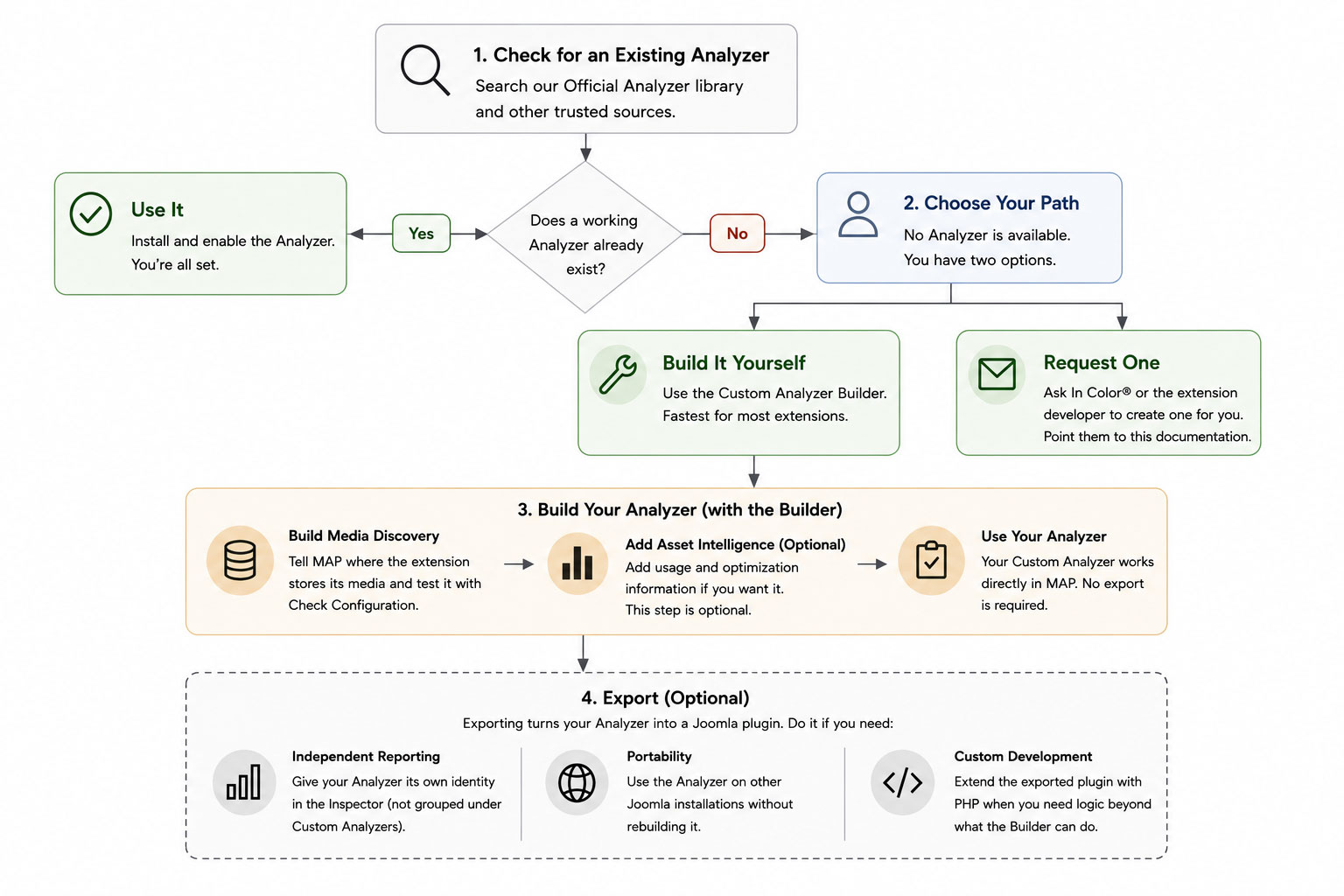
If you decide to build your own, start with the Custom Analyzer Builder. For a typical extension, it's the fastest way to create and test a working Analyzer without writing code.
- Build Media Discovery. Tell MAP where the extension stores its media and use Check Configuration to test it against live data. That's a complete Analyzer for safe media cleanup.
- Add Asset Intelligence if you want it. This optional layer adds the information needed for deeper usage reporting and optimization.
- Use your Analyzer. That's usually all you need to do. Your Custom Analyzer works directly from the Builder and does not need to be exported.
When should I export?
Exporting is optional. It turns your Custom Analyzer into a standalone Joomla plugin and is useful for three specific reasons:
- Independent Inspector reporting — active Analyzers running from the Builder are grouped together under Custom Analyzers in the Inspector. Exporting gives an Analyzer its own extension identity and reporting.
- Portability — install the Analyzer on other Joomla sites without rebuilding it in the Builder.
- Custom development — start with the working exported plugin when you need PHP logic beyond what the Builder can provide.