
Custom Analyzers (Pro)
The Custom Analyzers page is found under Components → Media Audit Pro™ → Custom Analyzers. It lists every Custom Analyzer you've created on this site.
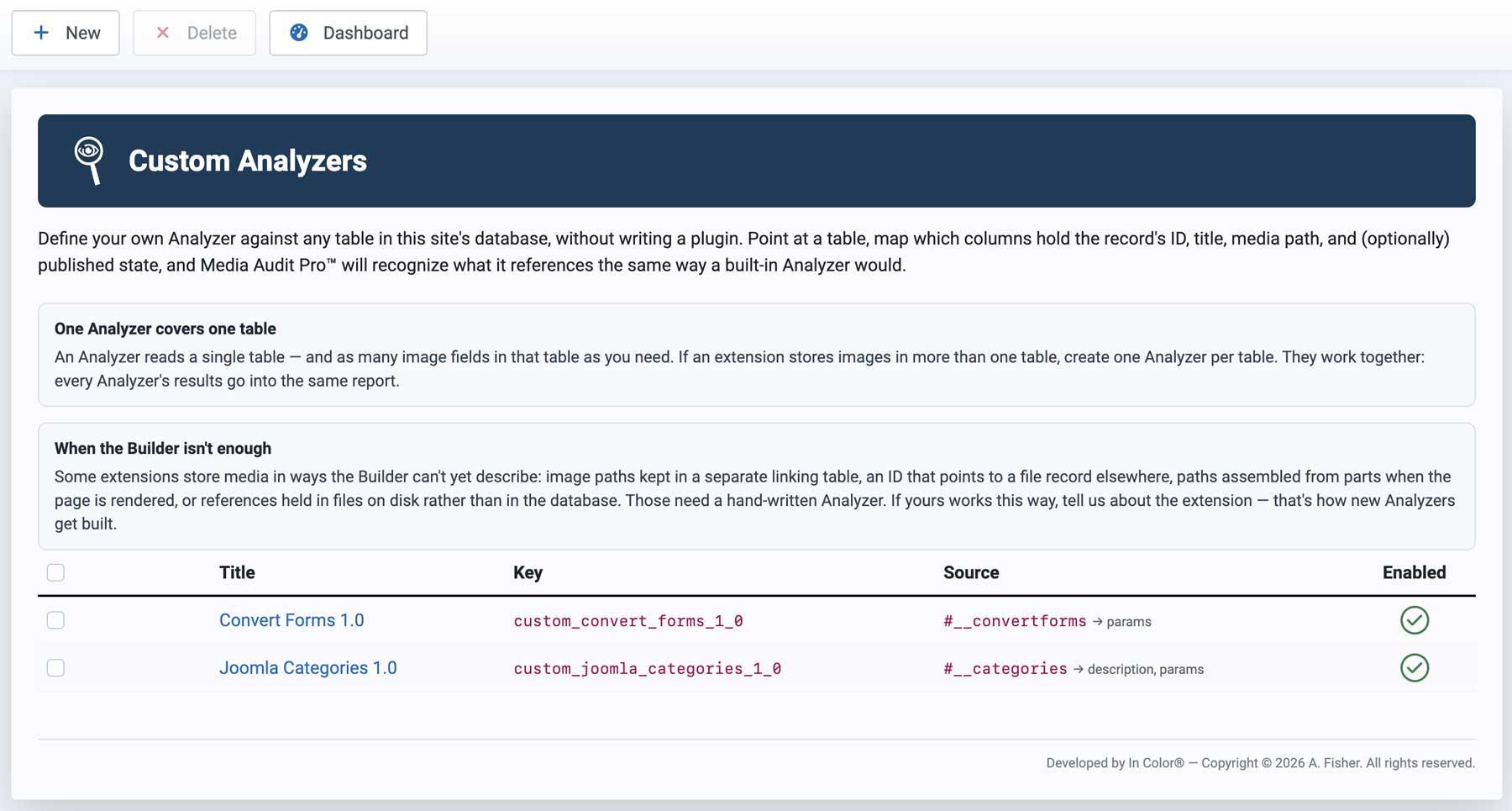
No official Analyzer for an extension you use? The Custom Analyzer Builder lets you teach Media Audit Pro where that extension stores links to its media.
You don't need to write PHP or SQL, but you should have a basic understanding of database tables, records, and fields. For a typical extension, building the Media Discovery portion can take only a few minutes.
The Builder works by letting you select an extension's database table and identify the fields where it stores media. Live record feedback lets you see the actual data you're mapping, and the built-in configuration checker helps you find and correct mistakes.
Some extensions use more complex storage methods that the no-code Builder cannot describe — for example, dynamically constructing media paths instead of storing them, or deriving them through relationships between multiple tables. Those cases may require a custom Analyzer plugin.
The List
Each row shows:
- Title — the Custom Analyzer's display name. Click it to open the Analyzer for editing.
- Key — its machine name, either entered manually or generated automatically from the Title.
- Source — the database table and media field it reads, shown as
table → column(for example,#__categories → params). The#__prefix is Joomla's placeholder for your site's actual database prefix. - Enabled — a green checkmark means the Analyzer is currently active. A disabled Analyzer remains available for editing but is not included in Media Discovery.
Toolbar
- New — opens the Custom Analyzer Builder to create a new Analyzer. See Creating/Exporting a Custom Analyzer for the complete field-by-field guide, testing instructions, and worked examples.
- Delete — select one or more Analyzers with the row checkboxes, then click Delete to remove them. This removes only the Custom Analyzer definition. It does not delete media or change the extension's database.
- Dashboard — returns to the Media Audit Tool™ Dashboard.