

Clear Image Caches
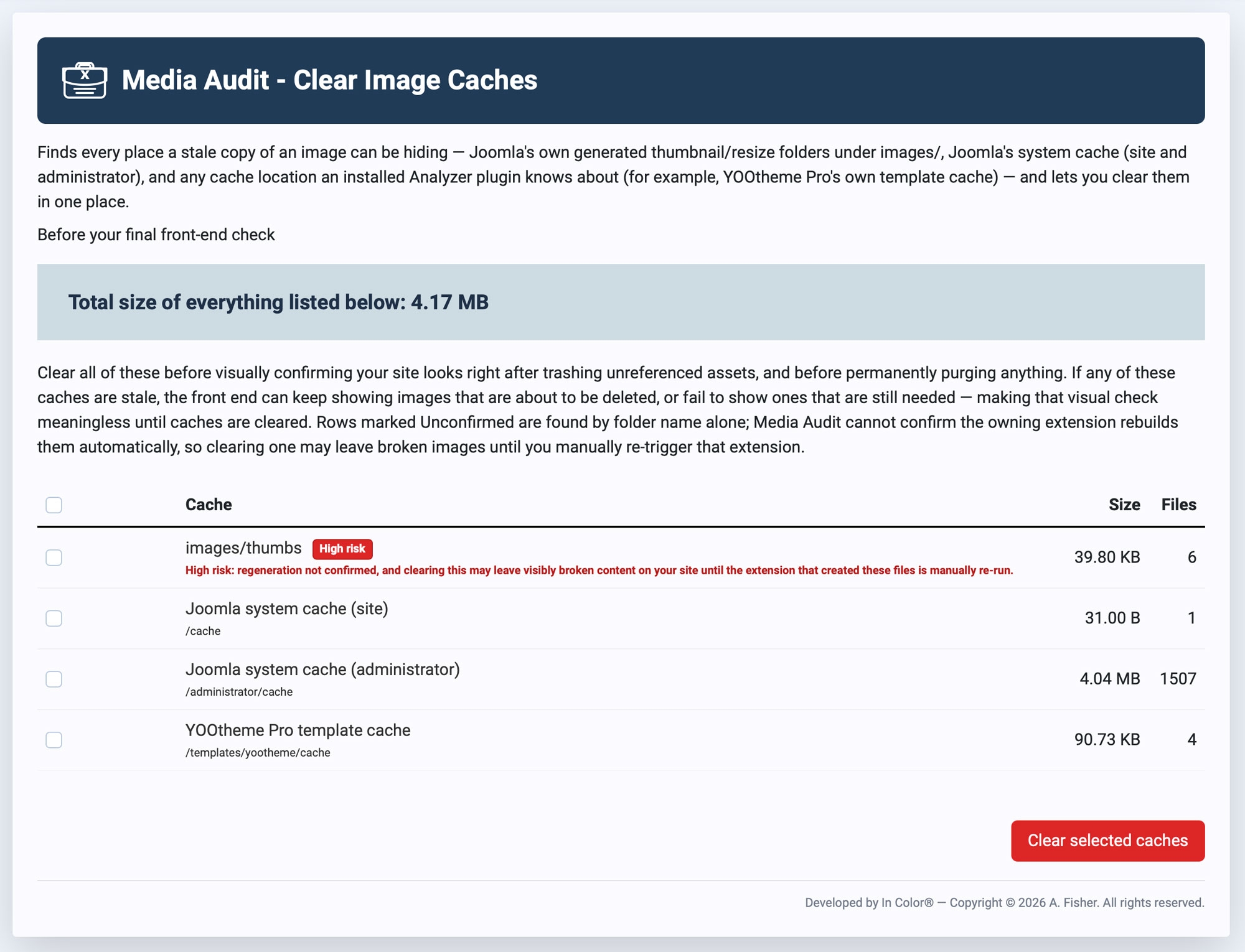
The Clear Image Caches page is found under Components → Media Audit → Image Cache Folders in the Joomla Administrator. It finds every place a stale copy of an image can be hiding — Joomla's own generated thumbnail/resize folders under images/, Joomla's system cache (both site and administrator), and any cache location an installed Analyzer plugin knows about (for example, YOOtheme Pro's own template cache) — and lets you clear them all in one place.
Why It Matters
Clear all of these before visually confirming your site looks right after trashing unreferenced assets, and before permanently purging anything. If any of these caches are stale, the front end can keep showing images that are about to be deleted, or fail to show ones that are still needed — making a visual check meaningless until the caches are cleared. This step corresponds to "Empty your image caches" in the recommended MAP workflow, and should be done right before your final front-end check.
The Cache List
Each row shows a cache location along with its size and file count. A running Total size of everything listed below appears above the table.
- images/thumbs and similar folders — thumbnail/resize caches Joomla or an extension generates under
images/. - Joomla system cache (site) — the front-end cache at
/cache. - Joomla system cache (administrator) — the admin-side cache at
/administrator/cache.
Unconfirmed and High Risk Rows
Some rows are marked High risk. These are folders MAP found by name alone — it cannot confirm that the extension which created them will automatically rebuild their contents. Clearing a High risk cache may leave visibly broken content on your site until the extension that created those files is manually re-run. Review these rows carefully, and if you're not sure what generates a flagged folder, test on a staging copy of your site first or leave it unselected.
Clearing Caches
Select the caches you want to clear using the checkboxes (or the header checkbox to select all), then click Clear selected caches. Regular Joomla and Analyzer-reported caches regenerate automatically as needed; High risk/Unconfirmed caches may not, so only clear those when you're prepared to manually re-trigger the owning extension afterward.